













Poker HUDs Explained: How They Work, Stats, Software & Allowed Poker Sites

Updated: Oct 16

Have you ever wondered how experienced online poker players instantly identify a loose recreational player, a nit, or an aggressive regular after just a few seconds at the table?
The answer is usually a Poker HUD (Heads-Up Display).
A HUD is one of the most powerful tools available to online poker players. It collects information from previous hands and displays real-time statistics directly on your table, helping you make more informed decisions against every opponent.
Years ago, almost every serious grinder relied on third-party HUDs such as PokerTracker or Hold’em Manager. Today, however, the landscape has changed dramatically. Some poker rooms still allow them under strict conditions, while others have banned external HUDs altogether and replaced them with their own built-in statistics.
In this guide you’ll learn:
what a Poker HUD is;
how it works;
which statistics actually matter;
how to interpret those numbers correctly;
which software is worth using;
and which poker sites still allow HUDs in 2026.
👉 If you’re looking for the best rooms to use your poker software, don’t miss Best Online Poker Sites
📚 Table of Contents
🎯 What Is a Poker HUD?
A Poker HUD (Heads-Up Display) is a software overlay that displays statistical information about every player sitting at your table.
Instead of relying only on memory, a HUD analyses your previous hands and summarizes your opponents’ tendencies using easy-to-read statistics.
For example, rather than simply seeing:
John123
you might see:
VPIP 38
PFR 9
3Bet 2
Hands 845
In just a few seconds, you already know that this player voluntarily enters many pots but rarely raises before the flop, making them very different from a tight regular.
The HUD doesn’t tell you which action to take.
Instead, it provides objective information that helps you make better decisions based on your opponent’s historical tendencies.
Think of it like the dashboard of a car.
It doesn’t drive the vehicle for you—it simply gives you the information you need to make better decisions.
⚙️ How Does a Poker HUD Work?
Although it may look complicated, every HUD follows the same four-step process.
Poker Room

↓

Hand Histories

↓

Tracker Database

↓

HUD Overlay
Every time you play a hand, the poker room saves a detailed record containing every action taken during that hand.
These files are known as Hand Histories.
A tracking program then imports those hand histories into a database, calculates hundreds of statistics and displays them directly beside each opponent while you play.
Without hand histories, a HUD simply cannot exist.
🗂️ Poker HUD vs Tracker vs Database vs RTA
These four terms are often confused, even by experienced players.
In reality, they describe completely different things.
Term | What it does |
HUD | Displays statistics while you play. |
Tracker | Imports hand histories and calculates statistics. |
Database | Stores every hand you’ve played. |
RTA | Provides strategic advice during a live hand and is prohibited almost everywhere. |
Understanding the difference is important.
Many beginners believe a HUD automatically tells players the correct decision.
It doesn’t.
A standard HUD only shows historical data.
Real-Time Assistance (RTA), on the other hand, actively recommends what action to take during a hand and is considered cheating by virtually every major poker operator.
📉 The Evolution of Poker HUDs
For almost twenty years, third-party HUDs were considered essential for serious online poker players.
If you wanted to compete at mid or high stakes, using software like PokerTracker or Hold’em Manager was almost expected.
That is no longer true.
Today, the industry is moving toward integrated HUDs.
Rather than allowing players to build enormous databases containing millions of hands, many operators prefer offering the same limited statistics to everyone through their own software.
For example:
PokerStars still allows compliant third-party HUDs but applies strict restrictions on how they collect and display information.
GGPoker prohibits external HUDs and instead provides post-session analysis through PokerCraft, while banning third-party overlays during play.
CoinPoker changed its policy in June 2026, banning PokerTracker, Hold’em Manager, Hand2Note and other external HUDs during gameplay. Only its built-in PokerIntel system is now allowed.
This shift aims to reduce the advantage gained from massive personal databases and create a more level playing field for recreational players.
📊 Poker HUD Statistics Explained
Now we get to the heart of every Poker HUD.
Modern HUDs can display hundreds of statistics, but the reality is that you don’t need 100 numbers to beat your opponents. In fact, trying to watch too many stats usually creates more confusion than edge. Even major HUD developers recommend keeping your layout simple and focusing on the core statistics first.
The best players always read the HUD in roughly the same order:
VPIP
PFR
VPIP/PFR Gap
3-Bet
Fold to 3-Bet
4-Bet
Steal
Everything else is built on top of these numbers.
VPIP (Voluntarily Put Money In Pot)
VPIP measures how often a player voluntarily puts money into the pot before the flop.
Calling counts.
Raising counts.
Completing the small blind counts.
Posting the blinds does not count because they’re forced bets.
Why is VPIP important?
VPIP tells you one thing immediately:
How loose or tight is this player?
The higher the number, the more hands they play.
The lower the number, the tighter they are.
VPIP | Player Type |
Under 15 | Very Tight Nit |
15–22 | Tight Regular |
22–30 | TAG / Solid Regular |
30–40 | Loose Player |
40+ | Recreational / Calling Station |
These are guidelines rather than fixed rules and vary between full ring, 6-max and tournaments.
Example
A player with:
VPIP 47
is voluntarily entering almost half of all hands.
That’s an enormous amount of garbage hands.
Against this player:
value bet thinner;
bluff less;
isolate them whenever possible.
PFR (Pre-Flop Raise)
PFR measures how often a player enters the pot by raising preflop.
Unlike VPIP, limping and calling are ignored.
Only raises count.
Typical ranges
PFR | Meaning |
Under 8 | Extremely Passive |
8–15 | Tight |
16–22 | Standard TAG |
22–28 | Aggressive |
28+ | Very Aggressive |
PFR alone tells you how aggressive someone is before the flop.
But PFR becomes truly powerful only when compared with VPIP.
VPIP vs PFR — The Most Important Read
If you only learn one thing from this guide, let it be this.
Never read VPIP without reading PFR.
The relationship between these two numbers reveals more than either statistic individually.
22 / 20
Very small gap.
This player raises almost every hand they decide to play.
Usually:
competent regular;
balanced ranges;
aggressive.
42 / 8
Huge gap.
This player plays many hands but rarely raises.
Classic calling station.
Exploit:
isolate often;
value bet relentlessly;
don’t bluff rivers.
18 / 17
Very tight.
Often older regulars or nits.
Steal their blinds aggressively.
32 / 28
Loose-aggressive.
Expect:
light 3-bets;
pressure;
floating;
wider ranges.
Don’t automatically assume they’re bluffing—good LAGs can still be very strong.
3-Bet %
A 3-Bet occurs whenever someone re-raises an open raise before the flop.
Example:
Player A opens.
Player B raises.
That’s a 3-bet.
The HUD records how often that happens when the opportunity exists.
Typical values
3-Bet | Interpretation |
Under 3 | Premium hands only |
4–6 | Tight |
6–9 | Standard Regular |
9–12 | Aggressive |
12+ | Very Active / LAG |
Exploiting low 3-Bet players
Someone with
3-Bet = 2%
almost never has bluffs.
When they re-raise, folding marginal hands becomes much easier.
Exploiting high 3-Bet players
Someone with
3-Bet = 14%
is applying constant pressure.
Against these players you should generally:
defend wider;
call more in position;
add more 4-bet bluffs when appropriate.
Fold to 3-Bet
This statistic measures how often a player folds after opening and facing a 3-bet.
It quickly tells you whether someone hates pressure.
Fold to 3-Bet | Meaning |
Under 40 | Defends a lot |
40–55 | Standard |
55–70 | Folds frequently |
70+ | Huge exploit available |
If somebody folds 75% of the time to 3-bets, bluff 3-betting becomes significantly more attractive than against someone who continues almost every time.
Remember that this stat requires a reasonable number of opportunities before drawing firm conclusions.
4-Bet %
A 4-bet happens when a player re-raises a 3-bet.
This is a much rarer situation than VPIP or PFR.
Because opportunities are limited, the sample size grows slowly.
Typical values:
4-Bet | Interpretation |
Under 2 | Almost always AA/KK |
2–4 | Standard |
4–6 | Aggressive |
6+ | Capable of bluffing |
Never overreact to a 4-bet stat after only a handful of opportunities.
Steal %
Steal percentage measures how often a player attempts to steal the blinds by opening from the Cutoff, Button or Small Blind when everyone has folded to them.
This stat is extremely valuable because blind stealing is one of the biggest sources of long-term profit in modern online poker.
Typical values:
ATS | Interpretation |
Under 25 | Rarely steals |
25–35 | Tight |
35–45 | Standard |
45–55 | Aggressive |
55+ | Extremely active |
Against players with a very high steal percentage you can often defend your blinds wider than normal.
📌 Don’t Read Statistics One by One
This is where many beginners make a mistake.
They see:
VPIP 38
and stop there.
Professional players don’t read single statistics.
They read profiles.
For example:
HUD | Likely Player |
17 / 15 / 3 | Nit |
23 / 20 / 7 | Solid TAG |
31 / 27 / 10 | LAG |
42 / 8 / 2 | Calling Station |
58 / 3 / 0 | Complete Recreational |
Looking at combinations of stats lets you identify an opponent within seconds and adapt your strategy long before you’ve seen their hole cards.
📊 Postflop Poker HUD Statistics Explained
Preflop statistics tell you what range your opponent is likely to have.
Postflop statistics tell you how they play that range.
This is where many of the biggest exploits come from. A player who opens good hands preflop can still over-c-bet, call too many rivers or give up too often after the flop. Reading these tendencies correctly is what separates someone who merely knows the definitions from someone who uses a HUD profitably.
Flop C-Bet (Continuation Bet)
A Continuation Bet (C-Bet) is a bet made on the flop by the player who was the preflop aggressor.
The Flop C-Bet stat measures how often a player continues betting after raising before the flop. It is one of the most useful postflop HUD statistics.
Typical values
Flop C-Bet | Interpretation |
Under 45% | Rarely c-bets |
45–60% | Fairly balanced |
60–75% | Standard regular |
75%+ | C-bets almost everything |
How to exploit it
Very high C-Bet (80%+)
This player continuation bets almost every flop.
Instead of folding automatically, you can:
float more in position;
raise favourable textures;
attack turns if they tend to give up.
Very low C-Bet (40% or less)
They usually bet only when they connect.
When they check, they’ll often have a weak range.
Fold to Flop C-Bet
This statistic measures how often a player folds after facing a continuation bet on the flop.
Typical values
Fold to Flop C-Bet | Interpretation |
Under 40% | Calls frequently |
40–60% | Standard |
Above 60% | Gives up often |
How to exploit it
If someone folds to flop c-bets 70% of the time, bluff c-betting becomes extremely profitable.
On the other hand, players who defend almost every flop should be bluffed much less frequently and value bet more aggressively.
Turn C-Bet
Many players continuation bet automatically on the flop.
Far fewer continue applying pressure on the turn.
That’s why Turn C-Bet is often more revealing than Flop C-Bet.
Typical values
Turn C-Bet | Interpretation |
Under 35% | Gives up frequently |
35–50% | Standard |
Above 50% | Applies sustained pressure |
Players with a very high flop c-bet but a very low turn c-bet often fire only one barrel.
Those are excellent opponents to float on the flop and attack later streets.
WTSD (Went To Showdown)
WTSD measures how often a player reaches showdown after seeing the flop. It reflects how willing they are to continue with a hand until the end.
Typical values
WTSD | Interpretation |
Under 24% | Folds too often |
25–30% | Standard |
Above 32% | Likes reaching showdown |
Above 35% | Calling station tendencies |
How to exploit it
High WTSD usually means:
call lighter for value;
bluff less on rivers.
Low WTSD usually means:
more profitable multi-street bluffs;
increased fold equity.
W$SD (Won Money at Showdown)
W$SD measures how often a player wins once they reach showdown. It should always be interpreted together with WTSD.
Typical values
W$SD | Interpretation |
Under 48% | Often shows down weak hands |
50–56% | Healthy range |
Above 58% | Only reaches showdown with strong hands |
WTSD + W$SD together
This combination is incredibly powerful.
WTSD | W$SD | Profile |
High | Low | Calling Station |
Low | High | Nit |
Average | Average | Balanced Regular |
A player with:
WTSD 37 / W$SD 44
is usually calling too much with marginal hands.
Someone with:
WTSD 22 / W$SD 61
is probably over-folding and only going to showdown with very strong holdings.
Aggression Factor (AF)
Aggression Factor measures how aggressive a player is after the flop.
It compares aggressive actions (bets and raises) with passive actions (calls). Because it ignores folds, AF should always be interpreted alongside other stats.
Typical values
AF | Interpretation |
Under 1 | Very passive |
1–2 | Passive |
2–3.5 | Standard |
4+ | Very aggressive |
Important
AF can sometimes be misleading.
A player who almost never calls may show a very high AF even if they don’t bluff particularly often.
For that reason, many modern players prefer Aggression Frequency.
Aggression %
Aggression Percentage (Agg%) measures how often a player chooses an aggressive action whenever they have the opportunity postflop. Many trackers consider it a more stable indicator than AF.
Typical values
Agg% | Interpretation |
Under 25% | Passive |
25–35% | Standard |
Above 40% | Aggressive |
Generally speaking, Agg% gives a clearer picture of someone’s postflop style than AF alone.
Check-Raise
A Check-Raise occurs when a player:
checks,
faces a bet,
raises.
Because most players don’t check-raise very often, this statistic becomes useful only after a reasonable sample size.
Typical values
Check-Raise | Interpretation |
Under 6% | Rare |
6–10% | Standard |
Above 12% | Very aggressive |
Players with unusually high check-raise frequencies are often capable of bluffing draws as well as value hands.
Donk Bet
A Donk Bet is a bet made into the previous street’s aggressor.
Years ago, donk bets were associated almost exclusively with recreational players.
Modern poker has changed.
Good players sometimes use balanced donk-betting strategies on specific board textures, especially in solver-based environments.
Still, at low and mid stakes, an unusually high Donk Bet frequency often indicates an unconventional recreational player.
📈 How Many Hands Do You Need Before Trusting HUD Stats?
One of the most common questions new HUD users ask is:
“How many hands do I need before I can trust a statistic?”
The answer is simple:
It depends on the statistic.
Some stats, such as VPIP and PFR, begin to paint a reasonably accurate picture after only a few dozen hands. Others, including Fold to 3-Bet, Check-Raise, or River C-Bet, require hundreds—or even thousands—of opportunities before becoming truly reliable.
Understanding sample size is just as important as understanding the statistic itself. A misleading number based on a tiny sample can easily lead to costly mistakes.
Why Sample Size Matters
Imagine you see the following HUD:
Fold to Flop C-Bet: 100%
Hands: 12
At first glance, it looks like your opponent folds every time they face a continuation bet.
In reality, they may have faced only one continuation bet and folded once.
Now compare it with this:
Fold to Flop C-Bet: 71%
Hands: 842
Although the percentage is lower, the second statistic is far more valuable because it’s based on hundreds of situations rather than a single occurrence.
A HUD doesn’t predict future actions.
It estimates a player’s long-term tendencies, and those estimates become more accurate as the sample grows.
Recommended Sample Sizes
There is no universal number that makes every statistic “correct.”
However, the following ranges are widely considered good practical guidelines.
Statistic | Starts Becoming Reliable |
VPIP | 30–50 Hands |
PFR | 30–50 Hands |
VPIP / PFR Gap | 50+ Hands |
3-Bet | 100–200 Hands |
Fold to 3-Bet | 200–500 Opportunities |
Flop C-Bet | 150–300 Opportunities |
Fold vs Flop C-Bet | 200+ Opportunities |
WTSD | 500+ Hands |
W$SD | 500–1,000 Hands |
Turn & River Statistics | 1,000+ Hands |
Notice that some statistics depend on opportunities, not simply on the total number of hands played.
For example, a player may have 1,500 hands in your database but have faced only six 4-bets. In that case, their Fold to 4-Bet percentage still tells you very little.
Don’t Wait Forever
Another common mistake is believing you need thousands of hands before making any adjustment.
You don’t.
Even with relatively small samples, core statistics such as VPIP and PFR already provide valuable information about whether a player is generally tight, loose, passive or aggressive.
As your database grows, those reads simply become more accurate.
The goal isn’t to achieve perfect certainty.
The goal is to make better decisions than your opponents using the information currently available.
Focus on Fast-Converging Stats
When you have only a small sample, ignore the more advanced statistics and concentrate on the ones that stabilize first.
A good order of importance is:
Hands Played
VPIP
PFR
VPIP / PFR Gap
3-Bet
Once your sample becomes larger, you can gradually start trusting more situational statistics such as:
Fold to 3-Bet
Flop C-Bet
Fold vs Flop C-Bet
WTSD
W$SD
Aggression Factor
Trying to interpret every statistic after only 50 hands usually creates more confusion than value.
Use HUD Stats as a Guide, Not a Rulebook
A HUD is one of the most powerful tools in online poker, but it should never replace critical thinking.
Statistics should always be interpreted together with:
Table dynamics
Player positions
Effective stack sizes
Board texture
Population tendencies
Your own observations from the session
The strongest players don’t follow their HUD blindly.
They combine statistical evidence with real-time information to build the most accurate picture possible of their opponent.
💻 Best Poker HUD Software
If you decide to use a HUD, choosing the right software is just as important as learning how to interpret the statistics.
Today, there are four major trackers that dominate the market:
PokerTracker 4
Hold’em Manager 3
Hand2Note
DriveHUD
Each one has its own strengths, and there isn’t a single “best” choice for everyone.
The right software depends on:
your experience level;
the poker sites you play on;
how much customization you need;
and whether those sites still allow third-party HUDs.
🥇 PokerTracker 4
For more than a decade, PokerTracker 4 (PT4) has been considered the industry standard.
It combines an excellent HUD with one of the deepest databases available, making it suitable for everyone from recreational players to high-volume grinders. PT4 remains widely praised for its stability, reporting tools and extensive customization.
Pros
Extremely stable
Huge library of built-in statistics
Powerful filters and reports
Excellent hand replayer
Native Windows and macOS support
One-time purchase instead of a subscription
Cons
Interface feels slightly dated
Steeper learning curve than DriveHUD
No dynamic HUDs like Hand2Note
Best For
Players looking for a proven all-around tracker that works well for both cash games and tournaments.
🥈 Hold’em Manager 3
Hold’em Manager 3 is PT4’s biggest competitor.
The two programs offer very similar functionality, and many players simply choose whichever interface they prefer. HM3 focuses on in-depth reports, customizable HUD layouts and powerful post-session analysis.
Pros
Modern interface
Excellent reporting tools
Powerful HUD customization
Great hand analysis features
Cons
Windows only
Requires an annual support plan for updates
Slightly higher long-term cost than it first appears
Best For
Regulars who already use HM3 or prefer its workflow over PokerTracker.
🥇 Hand2Note
If there’s one tracker that has pushed HUD technology forward over the last few years, it’s Hand2Note.
Unlike traditional trackers, Hand2Note introduced dynamic HUDs, allowing statistics to change automatically depending on the exact situation at the table. It also offers advanced range research and population analysis that many professional players consider unmatched.
Pros
Most advanced HUD available
Dynamic statistics
Outstanding population analysis
Extremely fast database performance
Highly customizable
Cons
Steep learning curve
Can overwhelm beginners
Some advanced features aren’t allowed on every poker site
Best For
Experienced grinders, coaches and players who enjoy deep database analysis.
💰 DriveHUD
DriveHUD was designed with a different audience in mind.
Rather than offering every possible feature, it focuses on making HUDs accessible to newer players through a cleaner interface and a lower price. Reviews consistently highlight its ease of use and affordability compared with PT4 and HM3.
Pros
Beginner-friendly
Modern interface
Lower price
Simple installation
Good value for low and mid stakes
Cons
Smaller community
Fewer advanced analysis features than Hand2Note
Less customizable than PT4
Best For
New HUD users who want something simple without sacrificing the essential features.
📊 Software Comparison
Software | Beginner | Advanced | Windows | Mac | Dynamic HUD | Overall |
PokerTracker 4 | ⭐⭐⭐⭐☆ | ⭐⭐⭐⭐⭐ | ✅ | ✅ | ❌ | ⭐⭐⭐⭐⭐ |
Hold’em Manager 3 | ⭐⭐⭐⭐☆ | ⭐⭐⭐⭐⭐ | ✅ | ❌ | ❌ | ⭐⭐⭐⭐☆ |
Hand2Note | ⭐⭐☆☆☆ | ⭐⭐⭐⭐⭐ | ✅ | ❌ | ✅ | ⭐⭐⭐⭐⭐ |
DriveHUD | ⭐⭐⭐⭐⭐ | ⭐⭐⭐☆☆ | ✅ | ❌ | ❌ | ⭐⭐⭐⭐☆ |
Which Poker HUD Should You Choose?
There’s no universal winner.
If you’re completely new to HUDs, DriveHUD offers one of the easiest learning curves.
If you want a long-term solution with excellent compatibility and a mature ecosystem, PokerTracker 4 remains one of the safest choices.
If you’re already playing high volume and enjoy digging into databases, Hand2Note offers the deepest analytical capabilities currently available.
And if you’re already comfortable with the Hold’em Manager ecosystem, there’s very little reason to switch.
One final point is often overlooked:
Before buying any tracker, make sure your poker room actually allows third-party HUDs.
An excellent HUD is useless if the site you’re playing on doesn’t permit it.
🌍 Which Poker Sites Allow HUDs?
One of the biggest mistakes players make is assuming that every poker room has the same HUD policy.
That was true ten years ago.
It isn’t true anymore.
Today, online poker sites fall into three main categories:
Sites that allow third-party HUDs with restrictions
Sites that completely ban third-party HUDs
Sites that provide their own built-in statistics instead
Before purchasing PokerTracker, Hold’em Manager or Hand2Note, always verify whether your poker room actually supports them. A growing number of operators have changed their policies in recent years, particularly to protect recreational players and reduce the advantage of large personal databases.
✅ PokerStars
Third-party HUDs: ✅ Allowed (with restrictions)
PokerStars remains one of the few major poker rooms where compliant HUDs are still permitted.
However, the rules are much stricter than they were years ago.
PokerStars allows software that displays numerical statistics based only on hands you have personally played, while prohibiting features such as:
Dynamic HUDs
Real-time strategic advice
Datamined databases
Shared player databases
Automated decision-making tools
In other words:
Using PokerTracker or Hold’em Manager is generally fine.
Using software that changes the displayed information depending on the current board or recommends actions is not.
❌ GGPoker
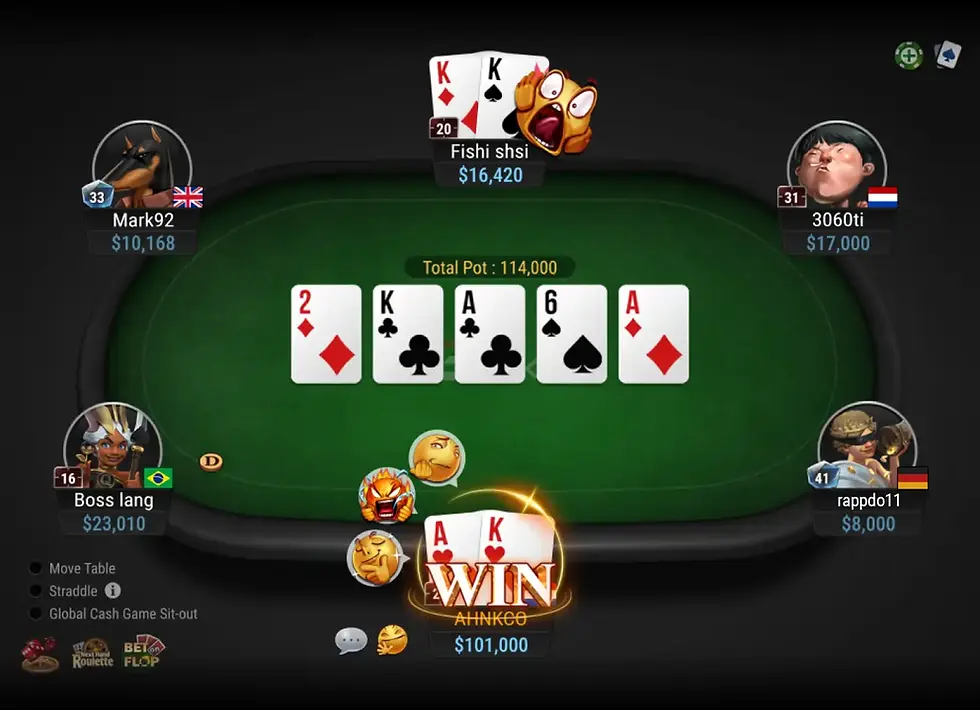
Third-party HUDs: ❌ Not Allowed
GGPoker has taken the opposite approach.
External HUDs are completely prohibited.
That includes:
PokerTracker 4
Hold’em Manager 3
Hand2Note
DriveHUD
Instead, GGPoker provides its own built-in ecosystem:
Smart HUD
PokerCraft
Session analysis
Built-in statistics available to all players
The philosophy is simple:
Every player should have access to the same information while playing, rather than rewarding those with the largest databases.
❌ CoinPoker

Third-party HUDs: ❌ Not Allowed (since June 2026)
CoinPoker was historically known as one of the most HUD-friendly poker rooms.
That changed in June 2026.
The platform now explicitly prohibits:
PokerTracker
Hold’em Manager
Hand2Note
DriveHUD
Statistical overlays
Dynamic HUDs
Opponent profiling tools
Instead, CoinPoker introduced its own integrated system:
PokerIntel
which provides built-in statistics directly inside the client. The policy also requires prohibited software to be completely closed while the CoinPoker client is running.
❌ WPT Global

Third-party HUDs: ❌ Not Allowed
WPT Global has one of the clearest policies in the industry.
HUDs and tracking software are prohibited because the operator believes all players should rely only on information gained through their own experience at the tables.
Unlike GGPoker or CoinPoker, WPT Global does not offer a full-featured built-in HUD to replace third-party software.
✅ ACR / Winning Poker Network
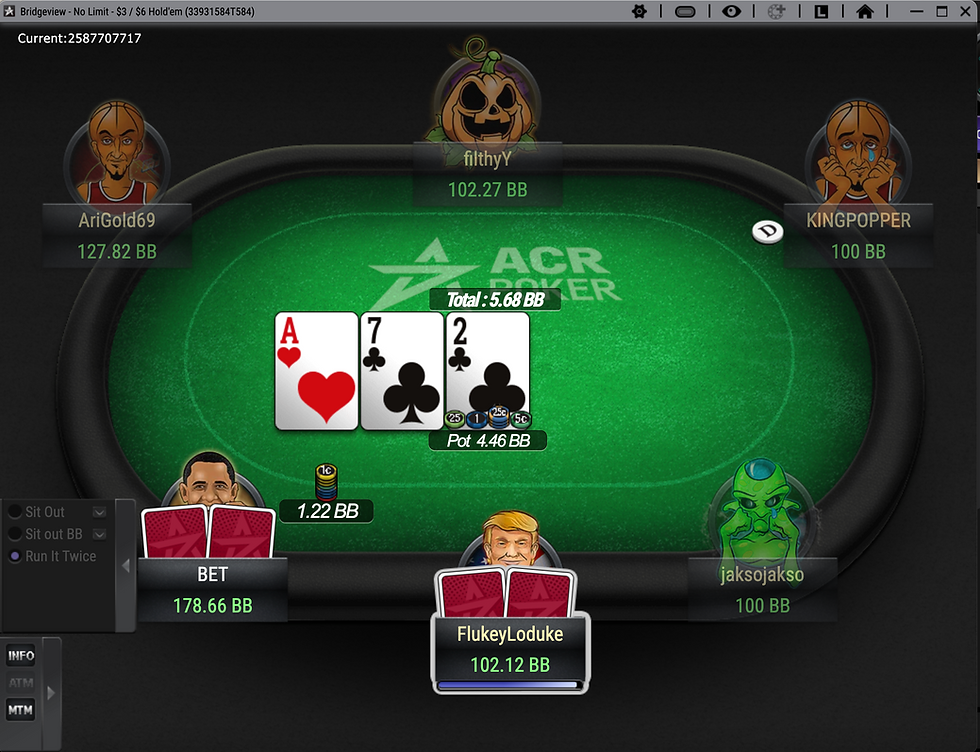
Third-party HUDs: ✅ Allowed (with restrictions)
The Winning Poker Network (including Americas Cardroom) remains one of the most HUD-friendly major networks.
PokerTracker, Hold’em Manager and Hand2Note are commonly used.
However, the network still prohibits:
Real-Time Assistance (RTA)
Seating scripts
Datamining
Shared databases
Software that assists decision-making during a live hand.
⚠️ What About Other Poker Rooms?
HUD policies change frequently.
Many operators have moved toward:
anonymous tables;
built-in statistics;
stricter game integrity rules;
restrictions on hand-history collection.
Before installing any tracking software, always check the latest policy on the poker room’s official website.
HUD Policy Comparison
Poker Site | Third-Party HUD | Built-In Stats | Notes |
PokerStars | ✅ Yes | Limited | Numeric HUDs allowed with restrictions |
✅ Yes | ❌ No | HUD-friendly, RTA prohibited | |
GGPoker | ❌ No | ✅ Smart HUD | PokerCraft available for analysis |
❌ No | ✅ PokerIntel | Third-party HUDs banned since June 2026 | |
❌ No | ❌ No | HUDs prohibited |

🚫 Why Poker Rooms Are Banning HUDs
Ten years ago, using a HUD was almost considered mandatory if you wanted to play professionally.
Today, the trend is moving in the opposite direction.
More and more poker rooms are banning third-party HUDs—not because they dislike statistics, but because they want to reduce the advantage experienced grinders have over recreational players.
Imagine two players sitting at the same table.
One has never used tracking software.
The other has a database containing millions of hands, instantly revealing how often every opponent folds, bluffs or value bets.
Technically, both players are following the rules.
Practically, they are playing two completely different games.
That information gap is exactly what many operators are trying to eliminate.
Modern poker rooms are increasingly replacing third-party software with integrated HUDs that give every player access to the same limited statistics.
This approach offers several advantages:
Fairer games for recreational players.
Less dependence on massive personal databases.
Easier enforcement against prohibited software.
A healthier long-term poker ecosystem.
For regulars, this means the edge gained from software is gradually shrinking.
In the future, understanding poker theory, exploiting population tendencies and making strong real-time decisions may become even more important than owning the most sophisticated HUD.

🎓 Final Thoughts
Poker HUDs have transformed online poker over the past two decades, but they’re no longer the overwhelming advantage they once were.
More and more poker rooms are restricting or banning third-party HUDs, replacing them with built-in statistics designed to create a fairer playing field for recreational players. As a result, success no longer depends on having the biggest database—it depends on understanding what the numbers actually mean and adapting your strategy accordingly.
Whether you’re using PokerTracker 4, Hold’em Manager 3, Hand2Note, DriveHUD or a built-in system like PokerIntel or Smart HUD, remember one simple rule:
A HUD doesn’t win poker games—good decisions do.
Learning how to interpret statistics, identify player tendencies and exploit common mistakes will always be far more valuable than simply installing new software.
🚀 Need Help Choosing the Right Poker Room?
Not every poker site allows HUDs, and not every poker room is worth your time.
If you’re looking for:
✅ Soft games with weaker player pools
✅ The best rakeback deals
✅ HUD-friendly poker rooms
✅ Anonymous poker apps
✅ Crypto poker sites
✅ Honest advice based on real experience
We’ll help you find the poker room that best matches your playing style, preferred stakes and goals—whether you’re a recreational player looking for softer games or a professional grinder searching for the best long-term value.
Or explore our in-depth poker room reviews to compare traffic, rake, rakeback, software and game quality before creating your next account.
❓ Frequently Asked Questions
What is a Poker HUD?
A Poker HUD (Heads-Up Display) is a software overlay that displays real-time statistics about your opponents based on previously played hands. These statistics help you identify player tendencies such as how often they play hands, raise preflop or fold to continuation bets.
Are Poker HUDs legal?
Yes—but only if the poker room allows them.
Some operators, such as PokerStars and ACR, still permit compliant third-party HUDs under specific restrictions. Others, including GGPoker, CoinPoker and WPT Global, prohibit external HUDs entirely. Always check the current rules before using any tracking software.
Which Poker HUD software is the best?
There isn’t a single best option for everyone.
PokerTracker 4 is the most balanced choice.
Hold’em Manager 3 remains a favourite among many regulars.
Hand2Note offers the most advanced analysis and dynamic HUD capabilities.
DriveHUD is often the easiest option for beginners.
The best choice depends on your experience level and the poker sites you play on.
Can beginners benefit from using a HUD?
Absolutely.
Even a simple HUD displaying only VPIP, PFR and 3-Bet can help new players understand how different opponents approach the game.
However, beginners should avoid cluttering their tables with dozens of statistics.
Learning to interpret a few key numbers correctly is far more valuable than trying to monitor everything at once.
Can I use PokerTracker or Hold’em Manager on GGPoker?
No.
GGPoker prohibits third-party HUDs during live play and instead provides its own tools, including Smart HUD and PokerCraft for post-session analysis.
Does CoinPoker still allow HUDs?
No.
Since June 2026, CoinPoker has banned third-party HUDs, including PokerTracker, Hold’em Manager, Hand2Note and DriveHUD. Players must use the platform’s built-in PokerIntel system instead.
How many statistics should my HUD display?
Less is usually more.
Most winning players rely primarily on a compact set of core statistics, including:
VPIP
PFR
3-Bet
Fold to 3-Bet
Flop C-Bet
Fold to Flop C-Bet
WTSD
W$SD
Aggression Factor (or Agg%)
Additional statistics can be placed in pop-ups and consulted only when specific situations arise.
Do HUDs work in live poker?
No.
HUDs rely on digital hand histories generated by online poker clients.
Because live poker doesn’t automatically record every action in a machine-readable format, traditional HUD software cannot be used at casino tables.


